
NDIS Time and Attendance Software: How Can Australian Providers Track Staff Hours Accurately?
Discover how NDIS time and attendance software can help Australian providers track staff hours, review missed clock-ins and manage timesheet approvals. Explore practical steps for improving attendance accuracy, documenting corrections and connecting approved records with payroll and billing checks.
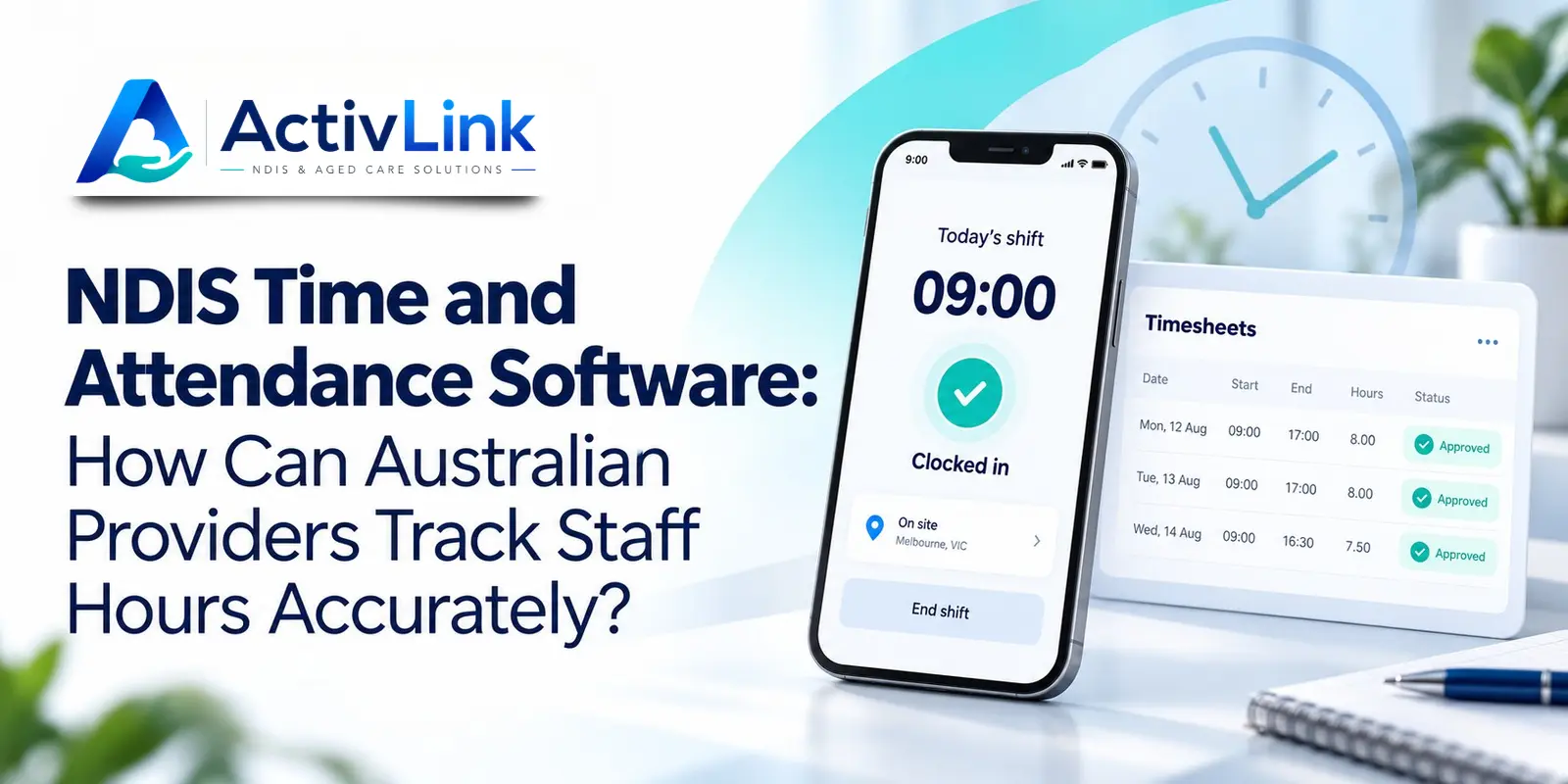
Accurate staff hours begin with clear records, practical processes and timely review. For Australian disability service providers, NDIS time and attendance software can help connect scheduled shifts with recorded working time, corrections and approvals. When assessing NDIS and aged care software, the important question is whether your team can understand what was recorded, investigate differences and make appropriate payroll and billing decisions.
How Does NDIS Time and Attendance Software Improve Accuracy?
Providers can improve accuracy by recording start and finish times close to when work occurs, linking entries to the correct worker and shift, reviewing exceptions and documenting corrections. Software supports this process, but reliable attendance also depends on staff training, clear responsibilities and consistent coordinator oversight.
An effective process using NDIS time and attendance software follows five steps: schedule the shift, capture attendance, investigate differences, approve the time record and complete separate payroll or billing checks. Each stage should remain traceable.
What Is NDIS Time and Attendance Software?
NDIS time and attendance software helps providers capture, organise and review staff working-time records. Depending on the platform, functions may include mobile clock-in and clock-out, location verification, manual entries, approval queues and attendance exports.
Rostering and attendance serve different purposes. A roster describes planned work; an attendance entry records reported or captured time. Neither alone establishes every support delivered, the correct employee payment or the amount chargeable to a participant.
Therefore, choose tools that make these differences visible rather than treating a completed shift as an automatic approval for everything that follows.
Why Do Support Worker Hours Become Inaccurate?
Errors often arise when workers reconstruct their week from memory. A forgotten finish time, an outdated roster or an unrecorded change can create uncertainty for both staff and administrators.
Community support adds practical challenges. Workers may move between locations, experience poor reception or need to prioritise a participant’s immediate needs before using their phone.
NDIS time and attendance software should help teams resolve these situations without assuming that every discrepancy indicates misconduct. Establish a fair process for clarification, and investigate repeated problems to identify training, scheduling or technical issues.
1. Record Staff Attendance Close to the Shift
Ask workers to record their start and finish times as close as practicable to the relevant event. Explain how to select the correct shift and what to do when a participant, location or service time changes.
Also define how staff record work that sits outside a participant-facing visit. Training, meetings and travel may need distinct treatment, depending on the employment arrangements and circumstances.
With NDIS time and attendance software, test whether workers can identify the correct assignment quickly. A simple mobile process is more useful than a complicated screen that encourages delayed entries or workarounds.
Keep Mobile Clock-In Practical
Provide a short demonstration and written instructions. Include a fallback process for a flat battery, unavailable device or failed login. Workers should know whom to contact and how to submit an accurate entry afterwards.
2. Use GPS Verification as Supporting Information
GPS can provide location information associated with a clock-in or clock-out. However, it does not establish the quality of support, explain every movement or prove that all recorded time is billable.
When assessing NDIS time and attendance software, ask whether location capture is optional, when it occurs and who can access it. Distinguish location captured at attendance events from continuous tracking.
Explain your organisation’s process to workers and review applicable privacy and workplace requirements before implementation. Additionally, test what happens when a community activity takes place somewhere other than the participant’s usual address.
3. Review Missed Clock-Ins and Attendance Exceptions
Missing entries require clarification, not an automatic conclusion that someone missed work. Start by checking the roster, asking the worker what occurred and reviewing relevant service records.
NDIS time and attendance software should make unresolved entries easy to identify. Useful exceptions to investigate include missing finish times, duplicate entries, unexpected overlaps and unusually long recorded shifts.
Assign an owner to unresolved records in NDIS time and attendance software and agree when each issue will be reviewed. Address uncertainty while the shift is still recent, and escalate urgent service concerns through your established procedures rather than waiting for a routine timesheet review.
Preserve the Reason for Timesheet Corrections
Keep the original entry distinguishable from the correction where your system supports this. Record what changed, who reviewed it and why. Avoid silently replacing actual recorded times with scheduled times simply to make the records match.
Fair Work guidance explains that when correcting a mistake, employers should also record the error and the reason for fixing it.
4. Compare Rostered Hours with Recorded Working Time
A difference between planned and recorded hours is a prompt to investigate. It may reflect an agreed extension, an early finish, a recording mistake or a change that never reached the roster.
Use NDIS time and attendance software to examine individual shifts before interpreting totals. Check the relevant dates, worker, participant and entry status so comparisons use consistent information.
For example, a shift scheduled from 9 am to noon lasts three hours. A clock-out at 12.20 pm creates a 20-minute difference. Ask what happened and check supporting records before deciding the appropriate correction, payment treatment or billing action.
5. Separate Attendance Approval from Payroll and Billing
Approving attendance means reviewing the time record through your organisation’s process. It does not automatically determine award entitlements or authorise an NDIS charge.
Fair Work guidance states that employers must keep time and wage records for seven years. Records must be legible, in English and accessible to an inspector; changes are permitted to correct errors. Specific hours-recording obligations depend on the circumstances.
Separately, the NDIA requires complete and accurate records of supports delivered, including relevant invoices, support logs, rosters, case notes and service agreements. Providers remain responsible for truthful and accurate claims.
NDIS time and attendance software can connect information for review, but your team must still check employment obligations, service delivery evidence and applicable billing arrangements. Payroll hours and participant charges should never be assumed to be identical.
6. Test Offline Attendance Before Regional Rollout
Poor reception can interrupt mobile workflows in regional Australia and inside some buildings. Ask suppliers exactly which attendance functions work offline and what happens when connectivity returns.
During an NDIS time and attendance software demonstration, test an offline entry, reconnection and a correction using fictional records. Check how supervisors distinguish delayed synchronisation from an unresolved time entry.
If teams work across time zones, also confirm how the platform displays local shift times and handles relevant daylight saving changes. Document these settings during onboarding to avoid preventable confusion.
How Should Providers Compare Attendance Software?
Start with your actual workflow rather than a long feature list. A small provider may prioritise straightforward mobile recording and approvals, while a larger organisation may need more detailed permissions and reporting.
Before choosing NDIS time and attendance software, ask suppliers to demonstrate:
- A worker recording attendance against the correct shift.
- A missed clock-out requiring clarification.
- A correction with an understandable history.
- An approver reviewing a disputed entry.
- Offline recording and later synchronisation.
- Exports and any confirmed payroll or invoicing connections.
When comparing NDIS time and attendance software, also review implementation, training, staff limits and ongoing costs. Distinguish a downloadable file from a direct integration, and confirm whether a function is available now, plan-dependent or still being developed.
How Can Activlink Support Attendance Workflows?
Activlink’s published features include a browser-based Staff PWA, clock-in and clock-out, optional GPS verification, missed-clock prompts and manual time approvals. The website also describes offline capability, audit trails and NDIS invoicing from approved attendance and service-agreement items.
For providers exploring NDIS time and attendance software, these features offer a basis for a practical demonstration. Bring a typical roster and a few fictional exceptions so your team can review the process from worker entry through coordinator approval.
Before adopting NDIS time and attendance software, confirm current plan inclusions and integration availability directly with Activlink. Organisations delivering aged care services should also check the release status and suitability of their required modules.
If your team spends too much time chasing missing entries or checking staff hours, contact us to discuss your requirements. Explore how NDIS and aged care software could connect your workforce records, rostering, attendance and administration. Book a demo or start a 14-day free trial to assess the available features against your organisation’s daily work.
Related articles

NDIS Software Solutions: What Should You Ask During a Product Demo?
Choosing NDIS software solutions? Discover the key questions Australian providers should ask during a product demo, covering rostering, attendance, billing, staff access, pricing and support. Use this practical guide to compare platforms and find software that suits your team’s daily operations.

NDIS Billing Software Australia: Complete Guide for Providers in 2026
Discover how NDIS billing software Australia can help providers streamline invoicing, manage bulk claims, reduce billing errors and connect rostering, attendance and service records. This 2026 guide explains key features, billing workflows, pricing considerations and what Australian NDIS providers should look for when choosing the right software.
NDIS Rostering Software Australia: What Providers Need to Know in 2026
Discover how NDIS rostering software helps Australian providers manage staff schedules, recurring shifts, attendance, availability and workforce operations more efficiently. This 2026 guide explains key features, benefits, compliance considerations and what to look for when choosing the right rostering platform.