
Aged Care Staff Management Software for Small Providers in Australia: Is It Worth It in 2026?
Is aged care staff management software worth it for small providers in Australia? Explore the key features, benefits, costs and signs it may be time to move beyond spreadsheets in 2026.
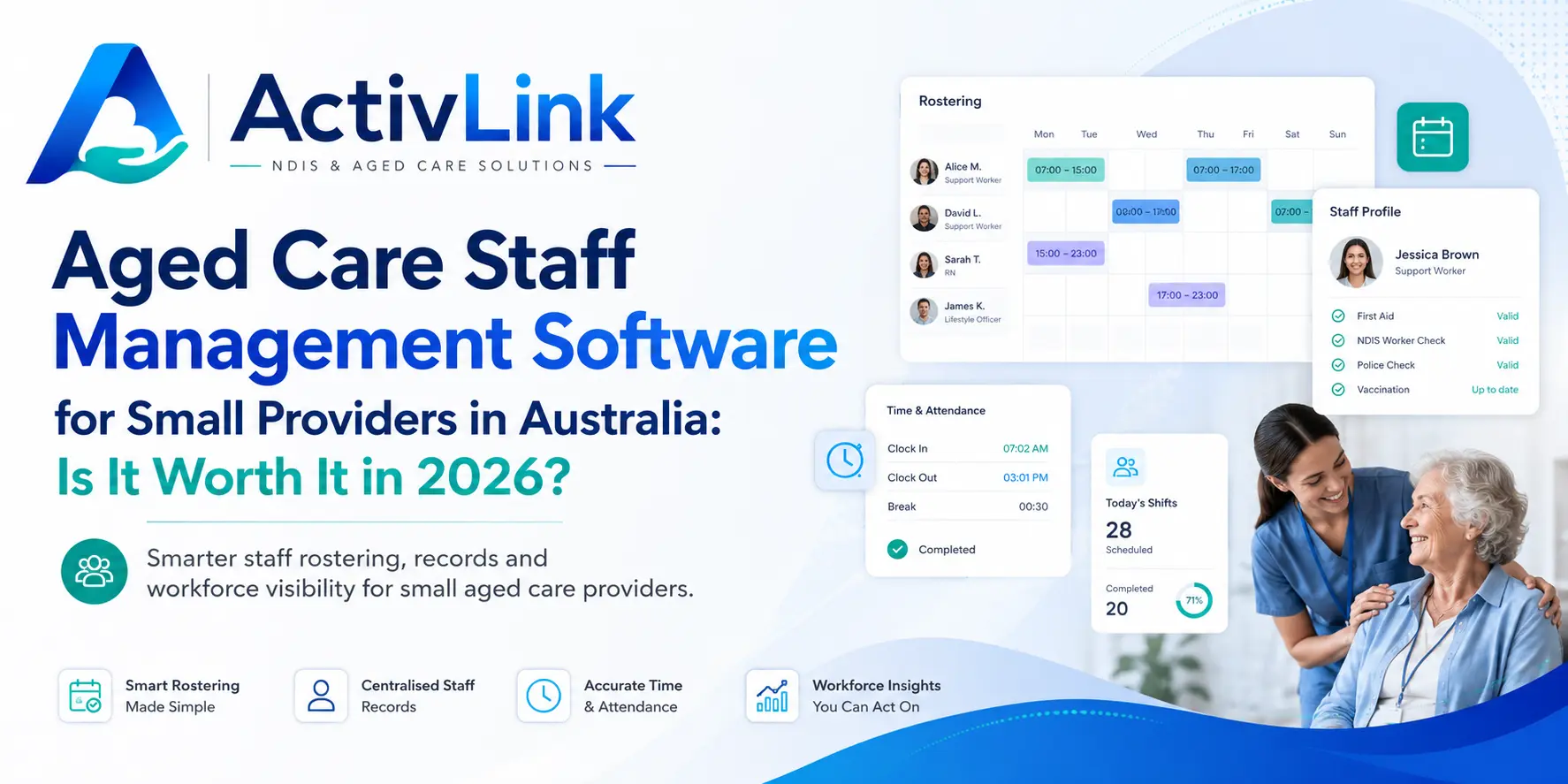
Running a small aged care organisation in Australia means balancing quality care with rostering, staff availability, attendance, documentation, compliance and day-to-day administration. As teams grow, spreadsheets, emails and separate systems can become difficult to manage. This is where aged care staff management software can help. Used as part of a broader care workforce management software approach, it can bring workforce information and daily operations into one organised system while helping providers spend less time on repetitive administration.
What Is Aged Care Staff Management Software?
Aged care staff management software is a digital platform designed to help providers organise and manage their workforce. Depending on the system, it may include staff profiles, qualifications, availability, leave, rosters, attendance, timesheets, permissions, documents and reporting.
For a small provider, the main value of aged care staff management software is visibility. Instead of checking several spreadsheets or messages to work out who is available, which shifts need coverage or whether worker records are current, managers can review key information from a central platform.
Importantly, software does not replace good governance, professional judgement or provider responsibilities. Rather, it supports more consistent processes and makes important workforce information easier to find and manage.
Why Small Aged Care Providers Need Better Workforce Management?
Small providers often operate with lean administration teams. One person may be responsible for rostering, staff records, client coordination, timesheet checking and follow-up. When these tasks are managed manually, even a small increase in staff or service volume can create extra pressure.
Aged care staff management software can reduce this fragmentation by connecting common workforce tasks. For example, staff availability can inform rostering, approved attendance can support timesheet review, and worker documents can be stored alongside staff records.
In 2026, Australian providers are also operating within a changing aged care environment. The Australian Government's Support at Home program replaced the Home Care Packages Program and Short-Term Restorative Care Programme on 1 November 2025. Providers delivering Support at Home services also operate within current registration, care management and quality requirements. For small organisations, having clear systems and reliable records can therefore become increasingly important.
Is Aged Care Staff Management Software Worth It for Small Providers?
For many small providers, yes—if the platform solves real operational problems and fits the organisation's size, services and budget.
The value of aged care staff management software should not be measured only by its monthly subscription fee. Providers should also consider how much time is spent building rosters, chasing availability, checking attendance, locating staff documents, correcting duplicate data and preparing information for internal reviews.
If software can reduce repeated administration, improve workforce visibility and make common tasks easier to manage, the return can be meaningful even for a relatively small team.
However, a provider with only a handful of workers and very simple operations may not need a large enterprise system. The best option is software that can support current needs without creating unnecessary complexity.
Key Features Small Aged Care Providers Should Look For
Choosing aged care staff management software should begin with practical day-to-day requirements rather than the longest possible feature list.
Staff Records, Qualifications and Permissions
A central staff profile can help managers organise roles, qualifications, availability and relevant documents. Role-based permissions are also valuable because different team members may need different levels of access.
For growing providers, organised worker records can reduce the need to search through folders, inboxes and disconnected files.
Rostering and Staff Availability
Rostering is one of the most important workforce functions for community and in-home care providers. A useful system should make it easier to create recurring or one-off shifts, review availability, detect scheduling conflicts and reassign work when circumstances change.
Aged care staff management software can provide coordinators with a clearer view of planned services and workforce capacity, which is particularly useful when last-minute changes occur.
Attendance and Timesheet Management
Knowing what was scheduled and what actually happened is important for reliable workforce administration. Clock-in and clock-out tools, manual time approvals and attendance records can make timesheet checking easier.
For mobile teams, access from a phone or browser can also reduce the need for workers to return to an office simply to complete routine records.
Mobile Access for Care Workers
Care workers spend much of their time in the community or in clients' homes. Therefore, workforce software should be practical on mobile devices.
Workers may need to check shifts, view relevant client information, record progress notes, submit expenses or update attendance while away from the office. Mobile access can make these tasks more immediate and reduce double handling.
Compliance and Audit-Ready Records
Small providers still need reliable governance and recordkeeping processes. Software can support this by helping organise worker documents, activity histories, incident records and audit trails.
Aged care staff management software should make records easier to locate and review, but providers must still maintain appropriate policies, training, supervision and compliance processes.
Aged Care Staff Management Software vs Spreadsheets
Spreadsheets can be useful when a provider is very small. They are familiar, flexible and inexpensive. The problem appears when separate files begin to manage rosters, availability, qualifications, timesheets and other operational information.
Multiple spreadsheets can create version confusion, duplicate entry and extra checking. A change made in one file may not automatically appear in another, and managers may need to manually confirm which information is current.
By comparison, aged care staff management software can create a shared source of workforce information. This does not mean every provider should abandon spreadsheets immediately, but once manual processes start consuming significant time or creating avoidable errors, dedicated software becomes easier to justify.
How Can Workforce Software Reduce Administration?
The biggest benefit for many small providers is not simply automation. It is reducing the number of separate steps required to complete everyday work.
For example, a coordinator may be able to review availability, assign a shift, notify the worker, record attendance and approve submitted time within connected workflows. A care workforce management software platform can also help reduce repeated data entry between staff management, scheduling and operational records.
Aged care staff management software is especially useful when the organisation is growing faster than its administrative capacity. Instead of adding more manual processes every time new staff or clients are added, providers can establish repeatable workflows earlier.
What Does Aged Care Staff Management Software Cost?
Pricing varies widely depending on staff limits, modules, support, integrations, implementation requirements and contract terms. Small providers comparing aged care staff management software should therefore assess total value rather than choosing a system solely because it has the lowest advertised price.
Before deciding, ask:
- Is pricing based on staff, users, clients or a fixed monthly fee?
- Are setup or onboarding fees charged?
- Is data migration included?
- Are mobile workforce features included?
- Are core rostering and attendance features available on the selected plan?
- Is support included?
- Can the provider change plans as the organisation grows?
- Is there a lock-in contract?
- Can data be exported if the organisation changes systems later?
A trial or product demonstration can be particularly helpful because it lets the team test realistic workflows before committing.
When Should a Small Provider Move From Spreadsheets to Software?
There is no single staff number that determines the right time. Instead, look for operational warning signs.
You may be ready for aged care staff management software if coordinators are spending too much time rebuilding rosters, staff availability is difficult to track, timesheets regularly need correction, important workforce documents are scattered across folders, or managers struggle to see what is happening across the organisation.
Another sign that aged care staff management software may be worthwhile is growth. If your organisation expects to add workers, clients, locations or service types, implementing clearer systems before administration becomes unmanageable can make scaling easier.
How to Choose the Right Aged Care Workforce Platform?
Start by documenting your current workflow. List how you manage staff records, qualifications, availability, leave, rosters, attendance, timesheets and reporting today.
Then identify the biggest bottlenecks. Do not buy software simply because it offers dozens of features your team may never use. Choose aged care staff management software that addresses the work your organisation performs every day and can grow with your future requirements.
When comparing aged care staff management software, small Australian providers should also consider data security, access permissions, Australian support, hosting arrangements, onboarding, data export options and whether the platform is actively maintained.
If your organisation delivers NDIS services as well as aged care, it may also be worth considering whether one workforce platform can support both service environments without forcing staff to switch between multiple systems.
How Does Workforce Technology Support Support at Home Providers?
Support at Home places significant importance on coordinated service delivery and care management. Registered providers delivering the program remain responsible for organising services around participants' assessed needs, goals and preferences, including required care management activities.
For small providers, aged care staff management software can support the workforce side of this environment by making rosters, staff availability, attendance and relevant workforce records easier to coordinate. However, providers should confirm that any platform they choose suits their specific registration categories, service model and current regulatory obligations.
What Are the Main Benefits for a Growing Aged Care Team?
The business case for aged care staff management software becomes stronger as operational complexity increases.
A small provider may begin with a manageable number of workers, but additional clients, staff, services and geographic areas quickly create more scheduling combinations and administrative tasks. Having a central workforce platform can provide:
- Better visibility over who is working and when
- More organised staff records
- Faster access to availability information
- More consistent attendance records
- Easier shift reassignment
- Improved mobile access for workers
- Less duplication across spreadsheets and emails
- Clearer permissions for coordinators and administrators
- Better preparation for internal reviews and audits
- A more scalable operational foundation
These benefits can help a small provider maintain visibility as the organisation grows without relying entirely on increasingly complex manual processes.
Final Verdict: Is It Worth It in 2026?
For a small Australian provider, aged care staff management software can be worth the investment when it removes genuine administrative friction, improves workforce visibility and supports more consistent daily operations. The goal is not to add technology for its own sake; it is to give managers and care teams a clearer way to organise people, shifts, attendance and workforce records.
The right decision depends on your current workload, growth plans and service model. If staff information is scattered, rostering consumes too much time or managers are repeatedly checking the same information across different systems, moving to aged care staff management software can provide measurable operational value.
Before choosing a platform, compare the system against real workflows rather than marketing claims alone. Test how it handles staff records, a recurring roster, an unavailable worker, attendance approval and day-to-day mobile access. This provides a clearer picture of whether the system will genuinely reduce work for your team.
Looking for a simpler way to manage your care workforce? Activlink brings staff records, rostering, attendance, permissions, mobile workforce access and operational administration together in an Australian workforce platform. Activlink's current Features page lists its core staff, scheduling, attendance, mobile PWA, reporting and audit capabilities while separately identifying aged-care-specific workflows by their release status. As Australian providers adapt to changing aged care requirements and increasingly mobile service delivery, choosing scalable care workforce management software can help create stronger operational foundations. Explore Activlink's workforce features, start a free trial or book a demonstration to see whether the platform fits your organisation, and contact us to confirm the current availability of aged care-specific functionality for your service model.
Related articles
Aged Care Software for Small Providers: 12 Questions to Ask Before You Buy
Choosing aged care software for small providers? Explore 12 practical questions Australian providers should ask before buying, covering features, pricing, data security, onboarding and ongoing support. Use this guide to compare platforms and find software that suits your team, services and budget.
Aged Care Rostering Software: How Can Australian Providers Avoid Scheduling Conflicts?
Discover how aged care rostering software can help Australian providers reduce scheduling conflicts, manage staff availability and coordinate home visits. Explore practical ways to check overlapping shifts, allow for travel time and handle last-minute changes, alongside key features to assess when choosing software for your care team.
Support at Home Software Australia: What Aged Care Providers Need to Know in 2026
Support at Home software can help Australian aged care providers manage rostering, workforce records, budgets, claims, compliance and day-to-day service delivery more efficiently. This 2026 guide explains what providers should look for when choosing software to support connected care operations.